Step-by-Step Account Creation
The Celsius Casino sign-up flow is split into three short screens, taking around 3-5 minutes from start to finish. Each step is shown below.
Step 1: Create Your Login
Click the registration button in the top right corner to open the sign-up modal. The first screen asks for the basics:
- Username
- Valid email address
- Secure password meeting complexity requirements
- Optional referrer code, if you were invited by another player
Tick the box to accept the Terms and Conditions and Privacy Policy, then press Start Your Journey. If you prefer, you can register in one click using your Google account.

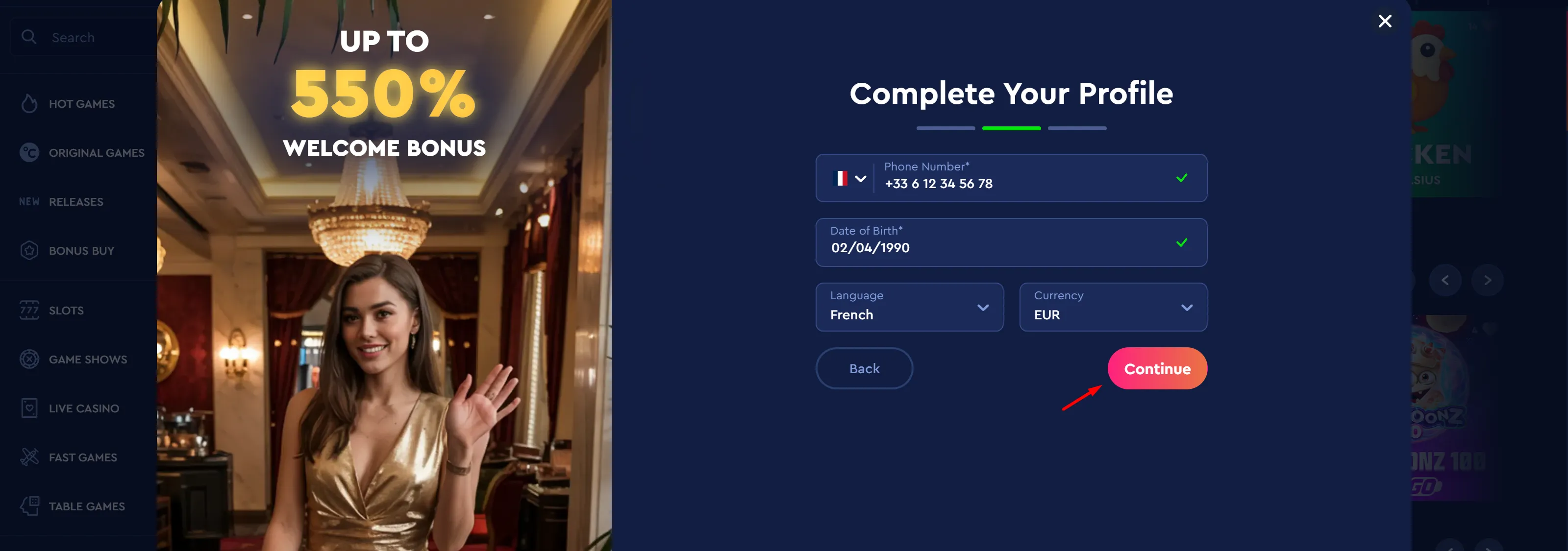
Step 2: Complete Your Profile
The second screen confirms who you are and how your account will be set up:
- Mobile phone number with country code
- Date of birth (minimum age requirement: 18 years)
- Preferred interface language
- Account currency (EUR is the default for French players)
Double-check the details, then press Continue. You can use the Back button if you need to correct anything from the first screen.
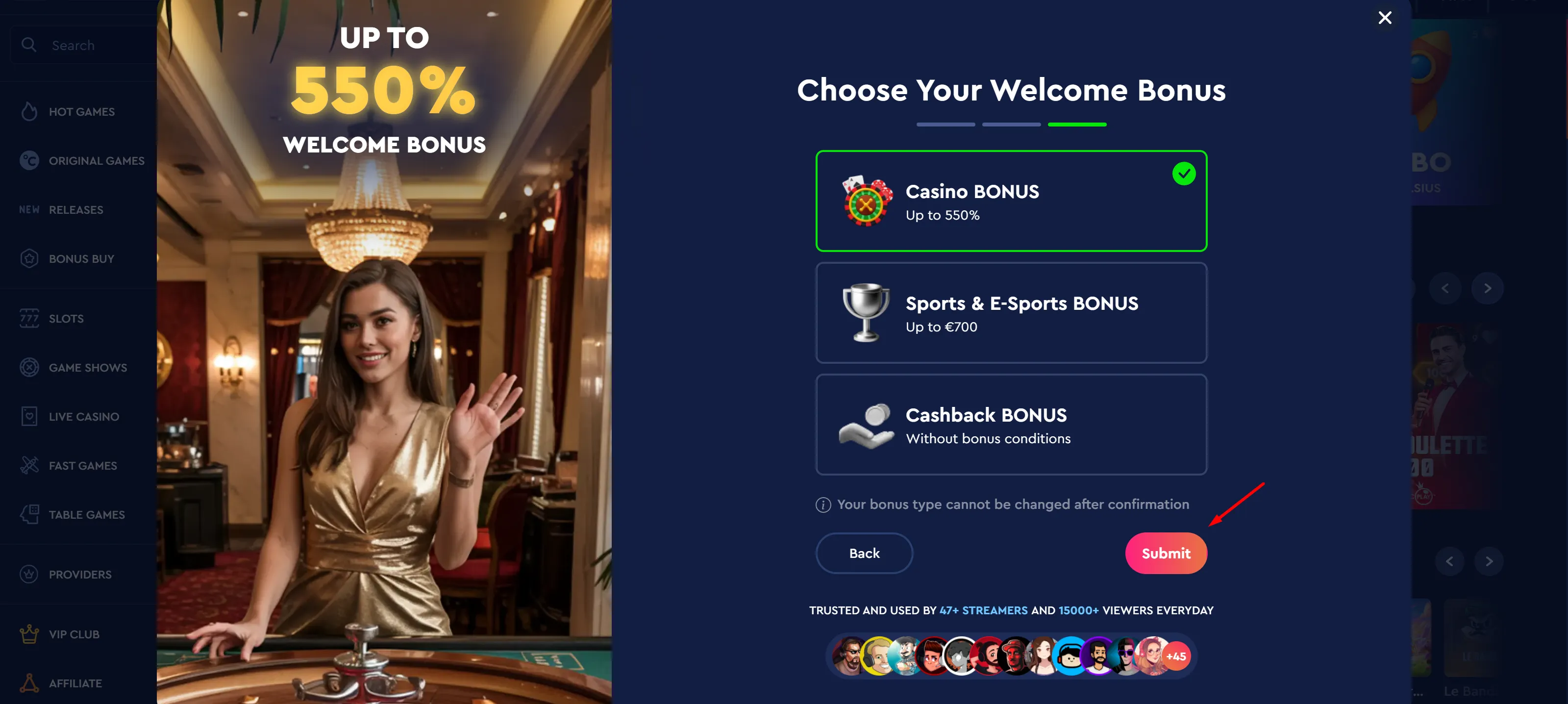
Step 3: Choose Your Welcome Bonus
The final screen lets you pick the welcome offer that best matches how you plan to play at Casino Celsius:
- Casino BONUS - up to 550% on your first deposits
- Sports & E-Sports BONUS - up to €700 for sportsbook players
- Cashback BONUS - no wagering conditions on returned losses
Your bonus type cannot be changed after confirmation, so choose carefully and press Submit to finish creating your account. You will then be taken to the cashier to make your first deposit and trigger the selected offer.